For app teams using QR codes
Create one QR-ready app install link
Put one QR code on posters, events, packaging, flyers, and launch materials. Smart Linker sends iPhone users to the App Store, Android users to Google Play, and desktop visitors to your web fallback.
Preview
One QR code for App Store, Google Play, and web fallback
Built for printed and shared materials
Use one public link behind posters, booths, inserts, flyers, and launch kits. Update destinations after signup without reprinting the QR.
Why it matters
Separate QR codes and store links create avoidable maintenance.
Teams often end up printing different QR codes for iOS and Android, then discover the artwork goes stale as soon as a store URL or fallback changes. Desktop visitors can be left without a useful next step.
Split QR assets
Separate codes for each platform confuse the people scanning them.
Stale print materials
Once a poster or insert is printed, updates are expensive.
Missing desktop fallback
Some scans happen on laptops or tablets and still need a useful destination.
Too much manual branching
The more surfaces you print, the more links you have to keep in sync.
How routing works
One QR code. Three likely outcomes.
Smart Linker keeps the QR code simple. The QR points at one public Smart Link, and that Smart Link routes the visitor by device.
1
Print one QR code
Use it on posters, flyers, booths, packaging, and launch materials.
2
Point it at one Smart Link
The public URL stays editable after signup, so print stays reusable.
3
Route by device
iPhone, Android, and desktop visitors go to the destination that fits them.
Routing proof
Public Smart Link
smartlinker.info/qr-app-install
Device routing
iPhone → App Store
Android → Google Play
Desktop → Web fallback
The QR stays stable. You can update destinations later without reprinting the asset.
Where to use it
Made for real-world QR distribution.
Smart Linker fits the places where a QR code needs to do more than just open a single store page.
Event booths
Give attendees one code they can scan from banners, badges, and table cards.
Posters and flyers
One printed QR stays useful even when the destination needs an update.
Packaging and inserts
Put a reusable install path on boxes, cards, and product inserts.
Launch campaigns
Share one QR-ready link across launch kits, press materials, and event assets.
Support materials
Use the same QR link in help docs, instructions, and onboarding handouts.
Step-by-step
How one QR-ready link works in the real world.
Each workflow starts with one Smart Linker URL behind a QR code. iPhone visitors go to the App Store, Android visitors go to Google Play, and desktop visitors go to a web fallback.
Event booth
Add one Smart Linker URL to a QR code on a booth poster or tabletop card. Visitors scan once and land on the right store for their device. Update the destination after the event without reprinting the QR code.
Poster and flyer run
Print one QR code on posters, flyers, or local campaign material. Use the same app install link across all physical placements. Change destinations in Smart Linker if the campaign shifts without touching the printed asset.
Packaging insert
Add one QR code to product packaging, cards, or manuals. Route mobile users to the correct store and use a web fallback for desktop. One code instead of separate iOS and Android QR codes on the insert.
Product launch campaign
Use one app install link across email, social, QR codes, and launch announcements. One link, one QR code, correct store routing. Update destinations after launch without changing the public link.
Support material
Add the same install link to help-center articles, support emails, printed support cards, or onboarding handouts. Support teams share one link instead of asking users which device they are on.
Offline-to-online
Use a printed QR code as the offline entry point. Smart Linker handles device-aware routing when the visitor scans. The destination stays editable without reprinting any physical materials.
Product proof
Create it once, then keep the QR usable.
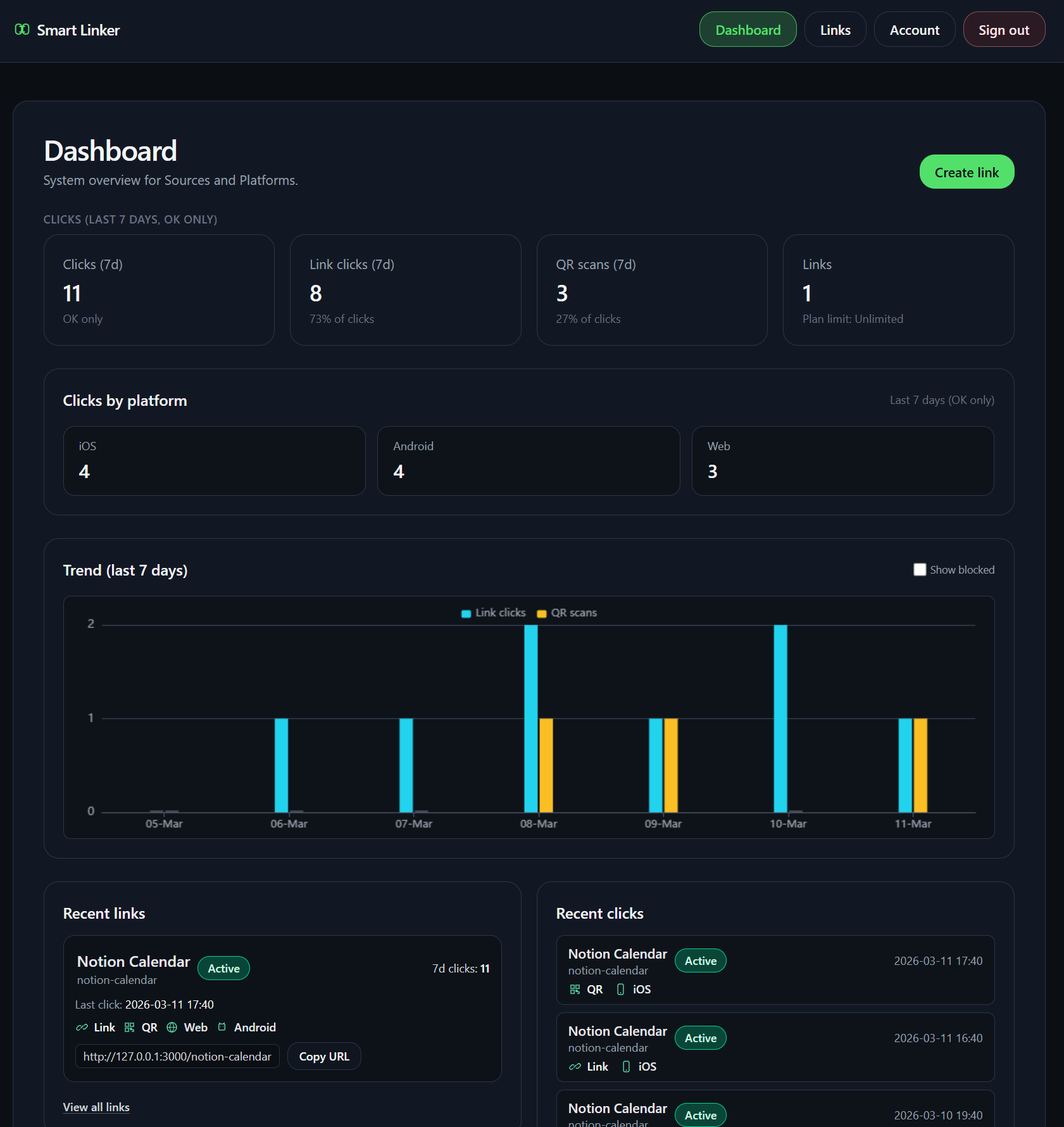
The public link, QR asset, and editable destinations stay in one workflow. You can preview the QR before you save, then manage the link after signup.
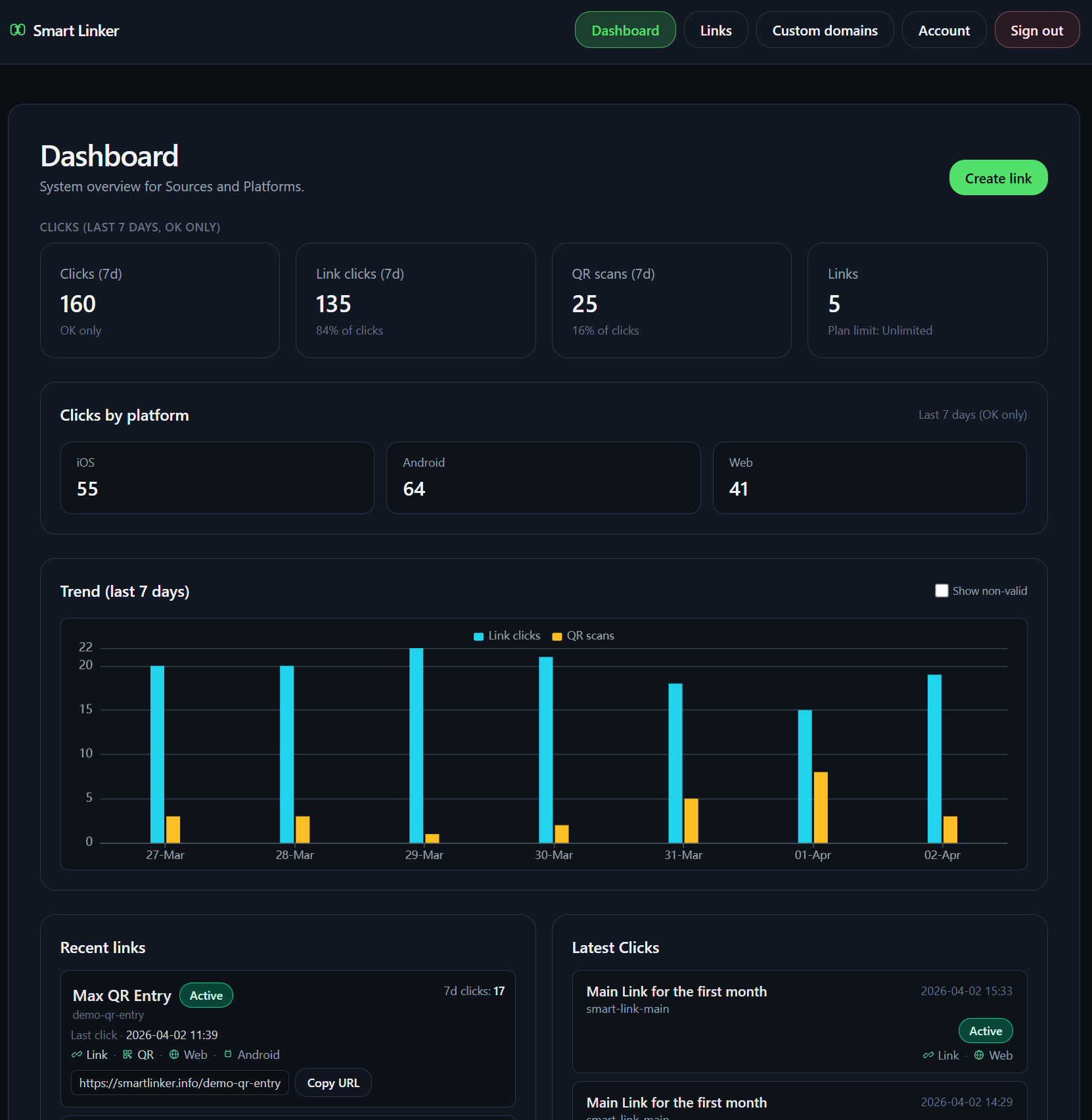
Start the flow
Make one QR code that can keep working.
Create the public link, preview the QR, and save the destinations when you are ready. The same setup flow handles the QR link and keeps the onboarding flow unchanged.
Boundaries
Built for routing, not attribution.
No SDK required.
QR is a delivery format for the public Smart Link.
Smart Linker does not claim install attribution, deferred deep linking, app-opening guarantees, or MMP parity.
What stays true
The destinations stay editable after signup.
Use one public link in the real world, then update the store or fallback destinations later if the campaign changes.
The QR setup remains the single execution path, so the main onboarding flow does not need a second version.
For a complete overview of how routing works, see the app install link guide.
Ready when you are
Create QR app link
Keep the QR on posters, booths, packaging, and launch materials while the destination stays editable behind the scenes.
FAQ
Questions people ask before they print one QR code.
What is a QR-ready app install link?
It is one public link behind a QR code that can route iPhone users to the App Store, Android users to Google Play, and desktop visitors to a web fallback.
How does it work on posters, flyers, booths, or packaging?
You print or share one QR code, then point it at the Smart Link so the same asset keeps working across offline and online placements.
Can I edit the destination after printing?
Yes. You can update the destinations behind the same public link without reprinting the QR asset.
Is Smart Linker just a QR code generator?
No. The QR is only the delivery format. Smart Linker provides the editable routing link behind it.
Does Smart Linker require an SDK?
No. This workflow uses a public link and does not require a mobile SDK.