Language: English
For app launches and campaigns
Create one app link, then share it everywhere.
Add your App Store, Google Play, and optional web fallback destinations once. Publish one Smart Link for the campaign or placement you are launching.
Launch with less friction
Publish one campaign link instead of updating every asset.
Start with one shareable URL for the placement in front of you. When a destination changes, update the Smart Link instead of replacing links across the campaign assets you already published.
One public link across every surface
Update destinations without replacing the shared URL
QR and analytics stay in the same place
Create, publish, update
Get a campaign-ready link live in three steps.
Add the destinations, review the public link, then use the same URL in the campaign, QR asset, partner placement, or launch page you are preparing.
Step 1
Add the destinations once
Start with your App Store and Google Play URLs, plus a web fallback when your campaign needs one.
Step 2
Publish the link with your campaign
Use the same public URL in your launch page, QR code, social bio, email, or partner placement.
Step 3
Keep the public URL when plans change
Update a destination in Smart Linker without asking every campaign owner to replace the shared URL.
Result
A live, shareable app link ready for the next campaign, QR code, or partner placement.
Routing example
One public Smart Link
smartlinker.info/your-link
Traffic routing
iPhone→App Store
Android→Google Play
Desktop→Web fallback when added
What teams try first
Heavy or awkward alternatives
Some tools are too complex for a simple App Store and Google Play routing job.
Others feel limited, awkward to manage, or overloaded with setup that small app teams do not need.
Use Smart Linker
Live in seconds
Add your App Store and Google Play destinations once.
Share one public link, get QR and analytics, and update destinations later without replacing the URL everywhere.
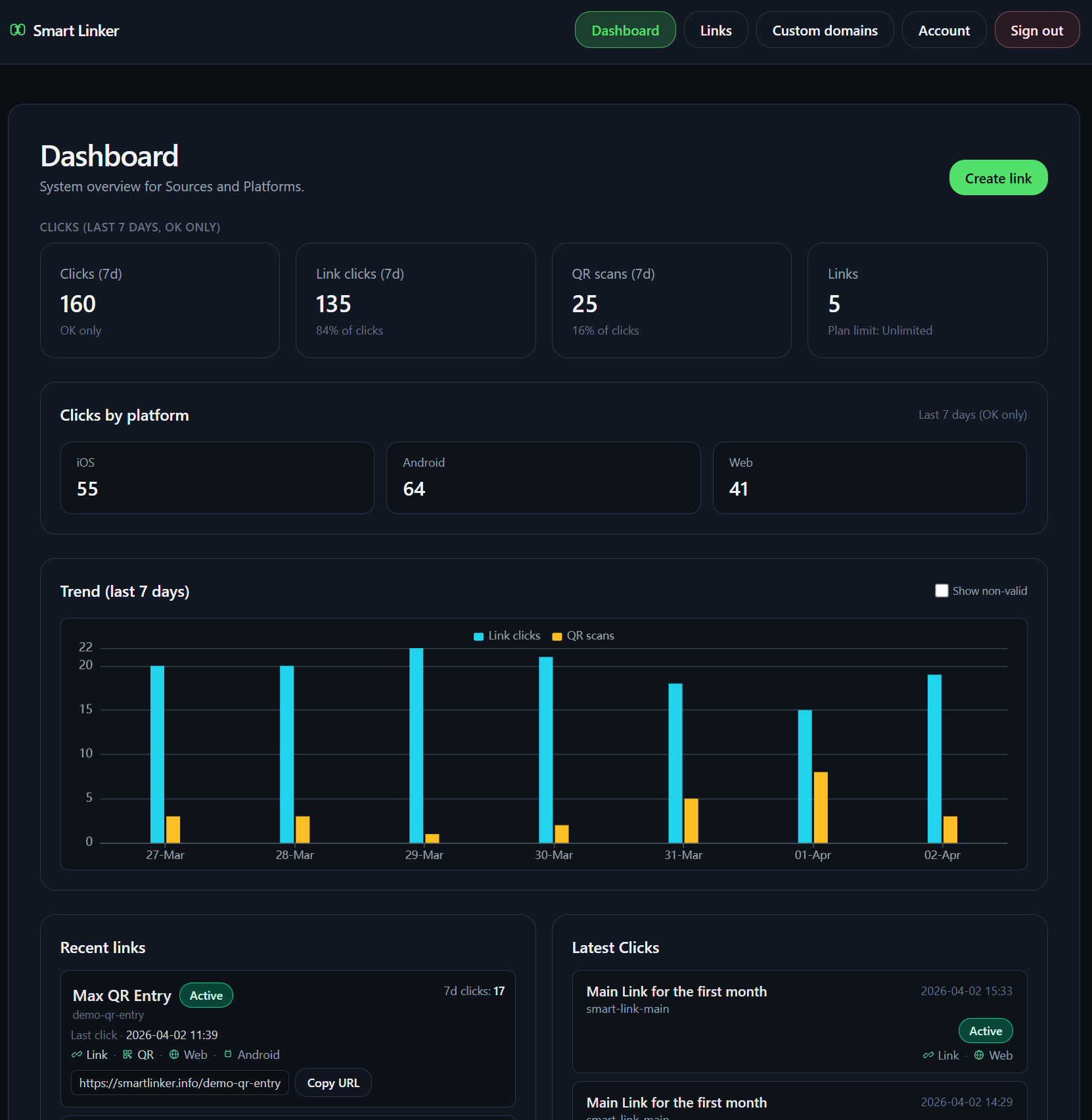
Product Screen
What you can manage after the link is live.
The cabinet keeps the public link, QR asset, destination setup, and basic performance view in one place. It stays lightweight on purpose.
Start the flow
Create the link for your next launch.
Add your destinations and leave with one public URL ready to use in the channel that brought you here.